Basic Settings
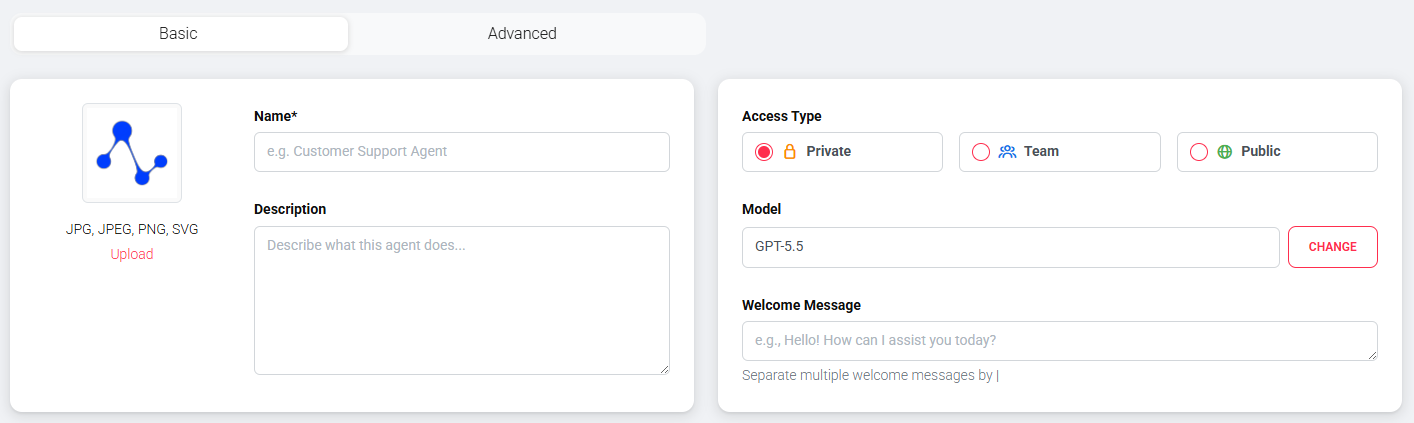
The basic settings form the foundation for every agent. Here you define what the agent is called, what it looks like, and who is allowed to use it.
Basic information
The name identifies your agent and is displayed in the user interface. Choose a meaningful name that describes the agent's function.
The description briefly explains what the agent is used for.
An image or avatar makes the agent visually recognizable. You can upload your own image or choose an avatar from predefined options.
Greeting message
The greeting message is the first text users see when they start a chat with the agent. It should introduce the agent and invite interaction.
You can define multiple greeting messages that are selected at random. Separate individual messages with a pipe character (|).
Example with random selection:
You can also define greeting messages in different languages. Use square brackets with the language code ([de] for German, [en] for English). The platform automatically selects the message that matches the set platform language.
Example with languages:
Both features can also be combined.
Access types
For each agent, you define who has access. Private means the agent is only visible to you. Team makes it available to all organization members. Public makes it accessible to anyone via a link.
Public access
For public agents, pay special attention to privacy and security.
The access type can be changed at any time. A detailed description can be found under Access Types.