Prompt Library
The prompt library is your storage for reusable prompts. Here you capture frequently used instructions once and call them up quickly in any chat – this saves time and ensures consistent results.
What the prompt library is for
Anyone who regularly makes similar requests does not have to formulate from scratch each time. A saved prompt is available in every chat and can be inserted with a few clicks. This is especially valuable when you want to:
- handle recurring tasks with the same structure
- ensure consistent wording or formats
- manage proven instructions centrally and adapt them
Create a prompt template
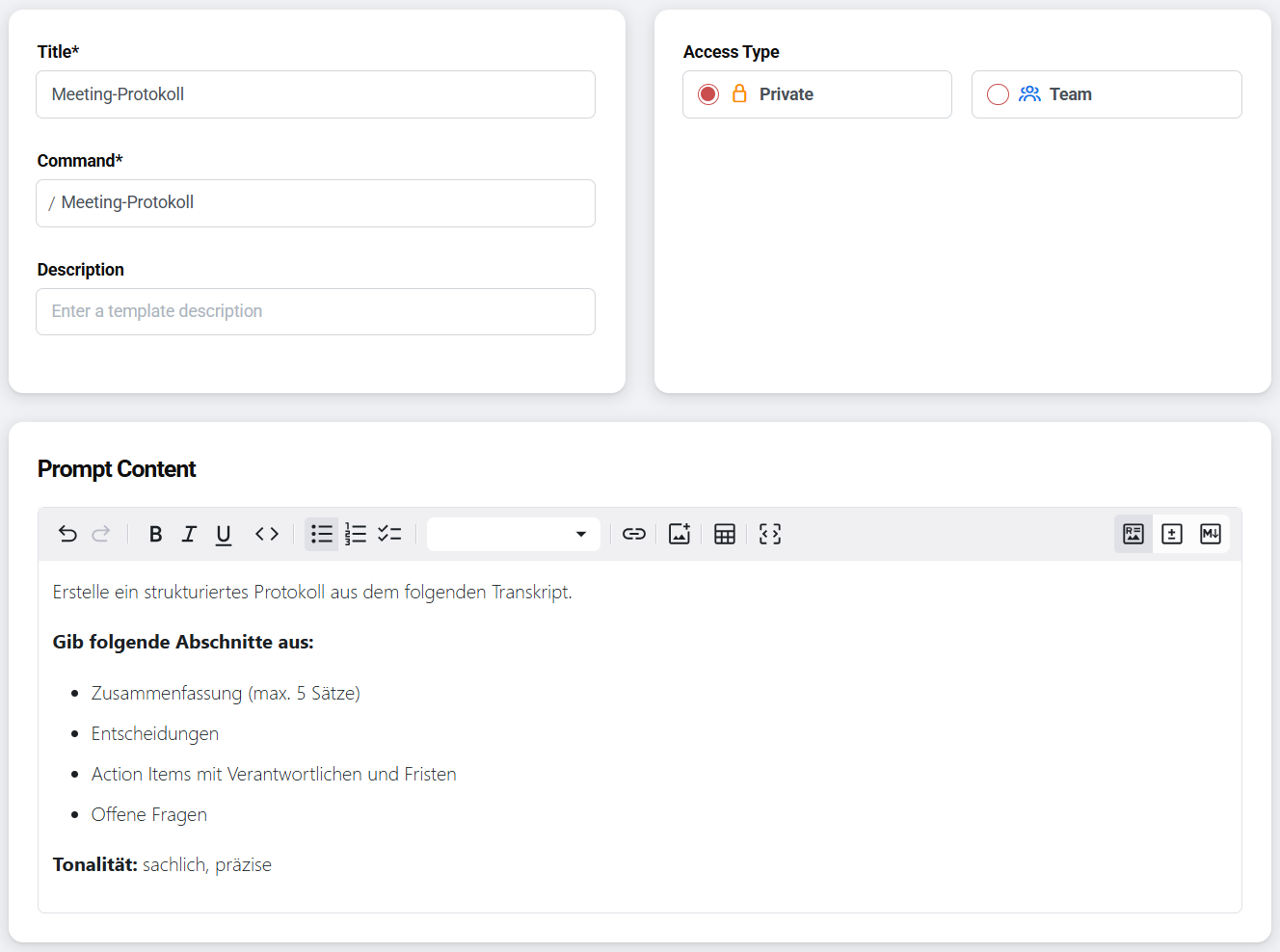
A prompt template consists of a name and the actual instruction text. Open the prompt library in the platform and click «+ Prompt» in the top right to create a new template. Enter a meaningful name that makes the template easy to recognise later, and add the instruction text. Finally, decide whether the template stays private or is shared with the team.
Example of a prompt template:
Name: Meeting Minutes

Instruction:
Create a structured summary from the following transcript.
Output the following sections:
- Summary (max. 5 sentences)
- Decisions
- Action items with owners and deadlines
- Open questions

Tone: factual, concise
Manage prompt templates
The prompt library in the platform shows all saved templates at a glance. From there you can open, edit, or delete an existing template. Templates can stay private or be shared with the team.
Call up prompts in the chat
When working in the chat, you call up saved prompts and insert them into the chat input field. There are two ways to do this:
- Via the selection icon (configuration icon) at the bottom left of the chat input field – opens the selection of saved prompts
- Via a slash command in the chat input field
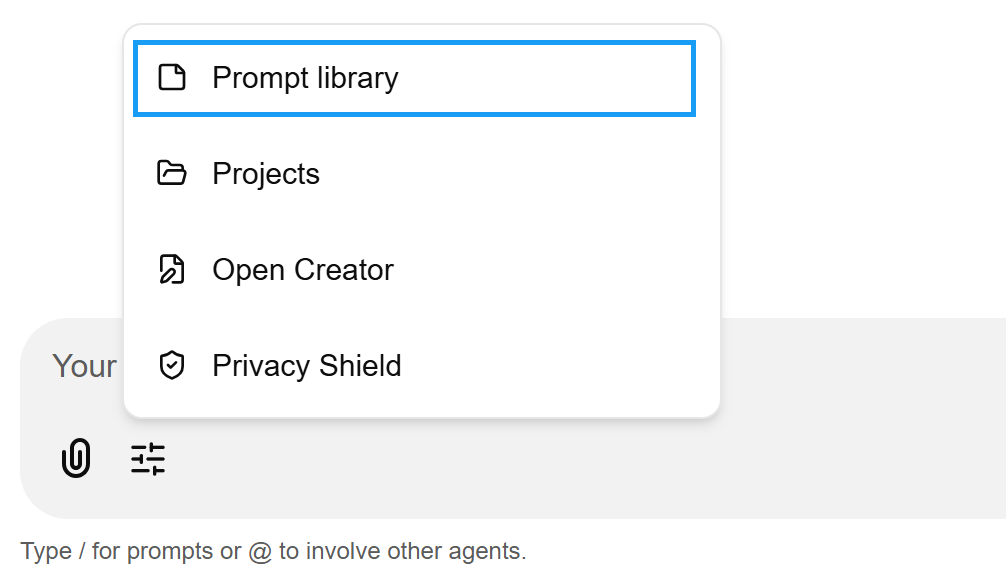
After inserting, you can adapt the prompt before sending it to the current task – for example, add variables or extend the context.