Analytics Dashboard
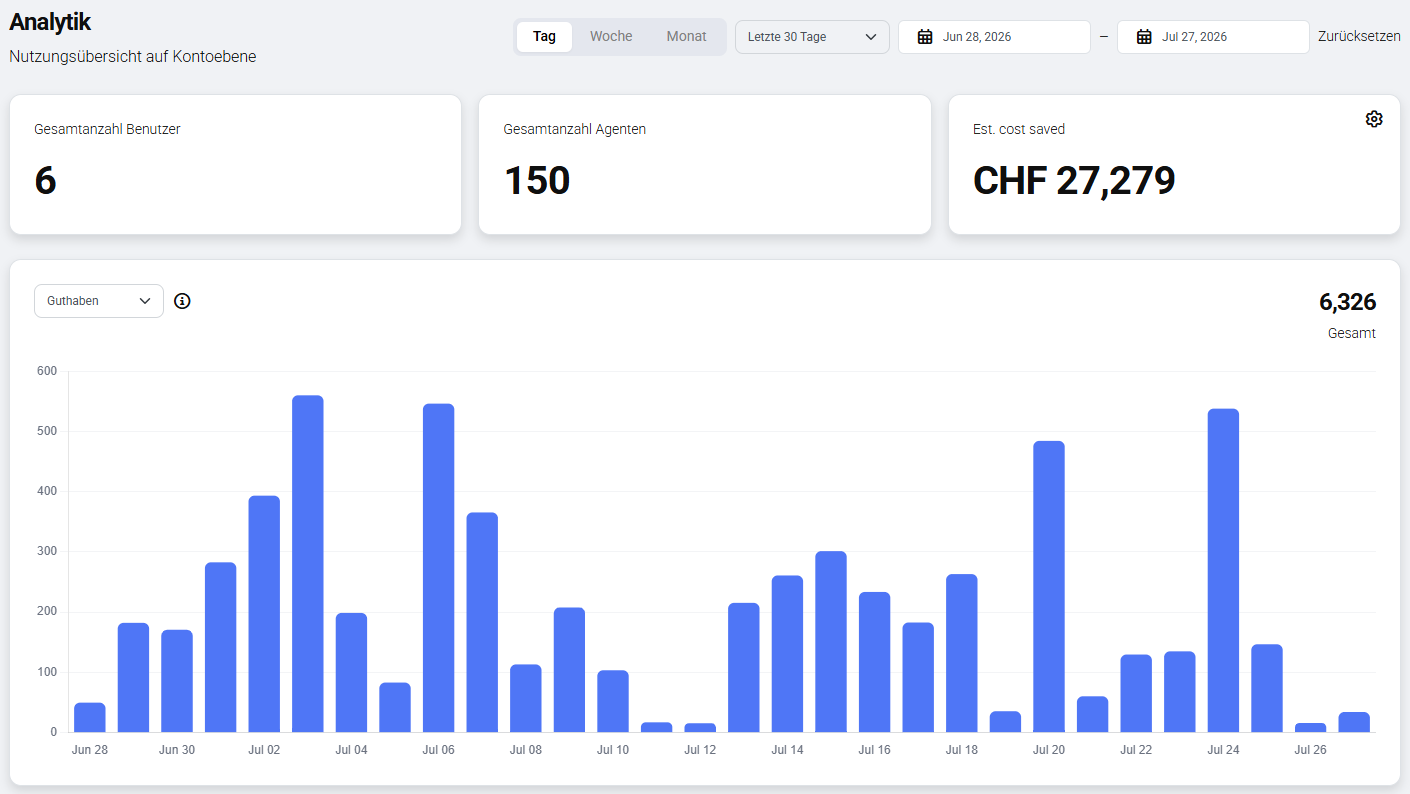
The Analytics Dashboard gives Administrators an overview of how the Evoya platform is used within their organisation – over time and broken down by agents, users, and the AI models in use. This makes it possible to track how intensively the platform is used and what value AI usage brings to the organisation.
Administrators only
The Analytics Dashboard is available exclusively to the Administrator role. Learn more about roles under Roles and Permissions.
Choosing a time period
The metrics and charts in the dashboard can be filtered by time period. The granularities Day, Week, and Month are available. In addition, a custom time range (from – to) can be defined to view the figures for a specific period.
Estimated Time Saved / Estimated Cost Saved
In the top right of the dashboard, you can switch between two views: Estimated Time Saved and Estimated Cost Saved. For Estimated Time Saved, you define how many minutes are saved per task on average through AI usage. For Estimated Cost Saved, an hourly rate can also be set, which automatically converts that saved time into a monetary value. Both values are manually configurable and serve as a rough indicator of the value AI usage brings to the organisation.
Metrics: usage, active users, and credits
A dropdown lets you switch between three metrics:
- Usage – counts actions, i.e. AI responses. Every generated response or request to an AI model counts as one usage.
- Active users – shows the number of users who were active during the selected period.
- Credits – shows credit consumption during the selected period.
Detailed views
Below the overview, the dashboard shows detailed breakdowns for agent usage, user activity, and model usage. Here too, you can switch between the usage, active users, and credits metrics. Values are shown both as absolute numbers and as percentages, showing, for example, which AI model is used most, which agents are used most, or which user has consumed the most credits.
Related topics
- Roles and Permissions – which role has access to Analytics
- Credits – the billing unit for using AI features
- Product Access – which products and modules are available