Tools
Tools are integrations that connect agents with external systems and applications. They enable an agent to access and work with other tools and services – such as email tools like Gmail or Outlook, project management tools, CRM or ERP systems, and other external platforms and business applications.
The core purpose of tools is to act as a bridge between the agent and these systems. This way, an agent can send emails, create tasks in a project management tool, or retrieve data from a CRM system.
Tool types
There are different tool types for different integration needs. The most important are the API Tool and MCP (Model Context Protocol).
API Tool
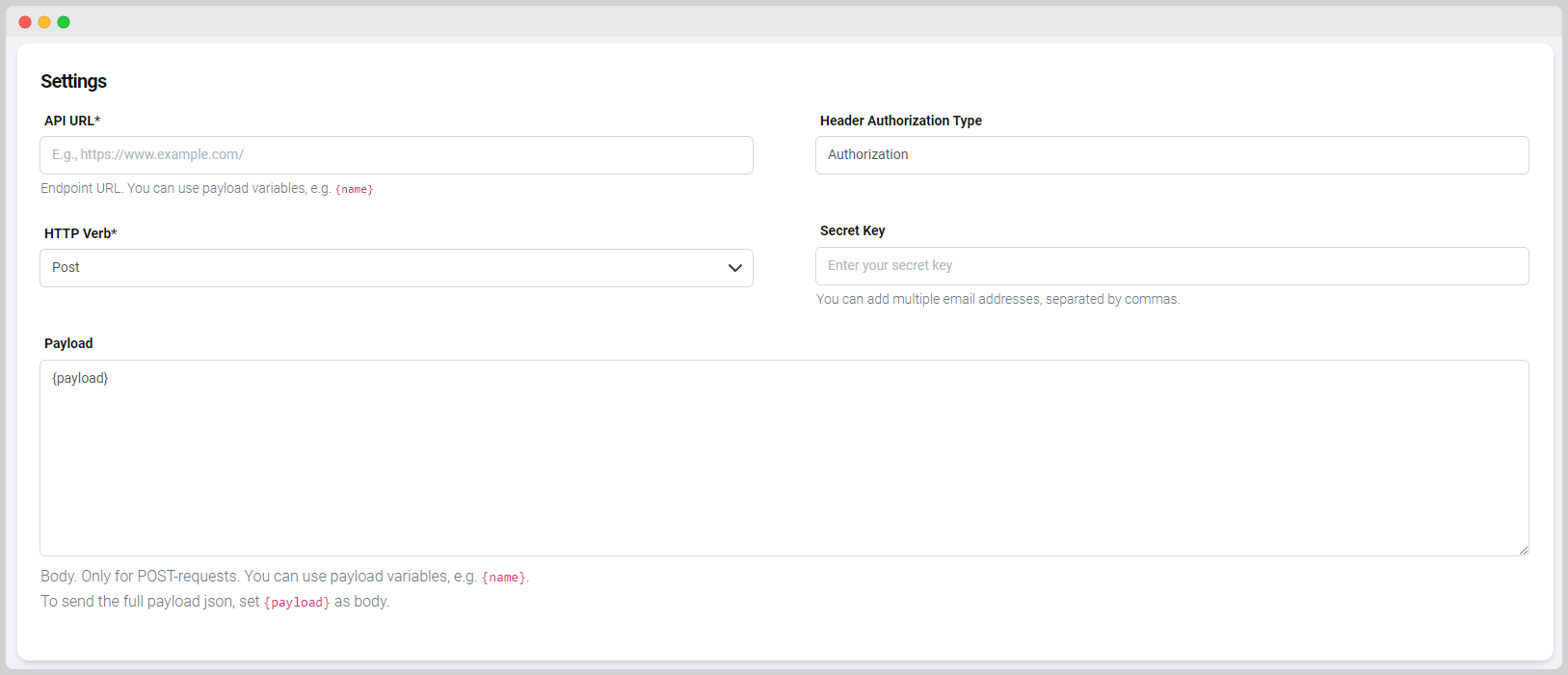
With the API Tool, you integrate external services and systems by configuring API requests. You define the API URL, the HTTP verb, and the payload. This allows the agent to interact with any platform that offers an API interface.
MCP (Model Context Protocol)
Via MCP, many external systems can be connected relatively easily, provided a corresponding MCP server is available. MCP is an open standard that unifies the connection between AI agents and external tools. Instead of configuring each integration individually, an agent can access various services via MCP – for example, Atlassian products such as Jira or Confluence.
Other tools
In addition to API and MCP, other tool types are available, such as an Image Generator or an Email Tool. The specific selection and available options can be found in the tools overview in the platform.
Add a tool
Regardless of the type, creating a tool always starts with the same steps. First, you assign a unique name and a description. The name helps you recognise the tool later, while the description helps the agent use the tool correctly.
Next, you set the access type: Team makes the tool available to authorised team members, Private only to you.

The further configurations depend on the respective tool type and are described in the following sections.
The tools overview in the platform shows all tools you have configured – from there you can edit existing tools or create new ones.
Activate a tool for agents
Activation required
Tools must always be activated in the agent's edit screen. A tool only takes effect when it is switched on there.
After creating and configuring a tool, assign it to a chat agent and activate it. To do this, open the Agent Overview, click on the respective agent, and add the tool. Each tool is deactivated by default and must be manually activated for the agent to access it.